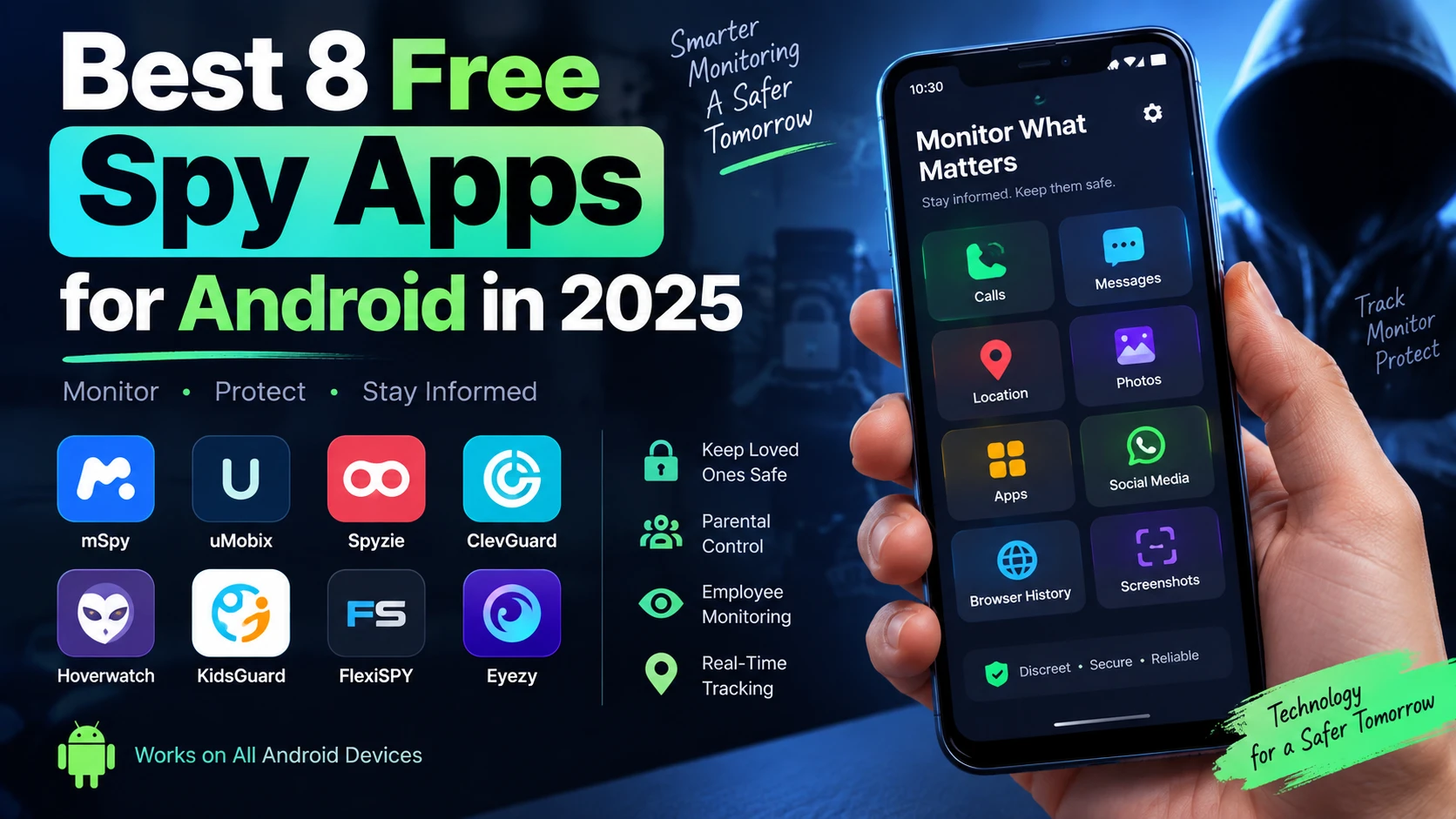
Smartphones have become the center of how kids, employees, and families communicate — which is exactly why phone monitoring apps have become a mainstream tool for parents keeping children safe online and employers overseeing company-owned devices with proper disclosure. This guide compares 8 of the most established Android monitoring apps for 2026, covering their core features, pricing, and honest pros and cons, so you can pick the right one for a legitimate, consent-based use case.
A quick but important note before you read on: monitoring software should only ever be used on a device you own, on your own minor child's device, or on a device where the user has been clearly informed and has given consent — for example, a company phone with a signed monitoring policy. Installing this kind of software on an adult's personal device without their knowledge, including a spouse's or partner's phone, is illegal in most jurisdictions and can carry serious civil and criminal penalties. See the legal note at the end of this article for more detail.
1. mSpy
mSpy is one of the longest-running names in the phone monitoring space, built primarily for parents who want visibility into their child's calls, messages, app usage, and location without needing deep technical skills.
Key features: call and SMS logs, GPS location and geofencing, social media and messaging app activity, screen time and app usage reports, keyword alerts.
- ✅ Pros: Wide device compatibility, straightforward setup, responsive customer support, works on both Android and iOS.
- ❌ Cons: Full social media monitoring can require additional setup on newer Android versions; pricing is on the higher end for the full feature set.
Visit: mspy.com
2. uMobix
uMobix focuses on giving parents a real-time dashboard view of a child's phone activity, with an emphasis on social media and browsing history alongside the standard call and message logs.
Key features: real-time location tracking, social media monitoring (Instagram, Snapchat, WhatsApp, TikTok), browser history, keylogger, app blocking.
- ✅ Pros: Clean, easy-to-read dashboard; strong social media coverage; useful screen-time and app-blocking controls for parents.
- ❌ Cons: Some advanced features need the target device to be rooted; subscription auto-renews unless cancelled manually.
Visit: umobix.com
3. Spyzie
Spyzie is a browser-based monitoring tool that positions itself around simplicity — install once, then check everything from an online dashboard without needing to touch the target device again.
Key features: call logs, text messages, GPS tracking, social app monitoring, browser history, no jailbreak required for basic iOS monitoring.
- ✅ Pros: No-fuss web dashboard, reasonable pricing tiers, works without rooting for core features.
- ❌ Cons: Some users report slower data sync intervals; advanced social media features are more limited than root-based competitors.
Visit: spyzie.com
4. Hoverwatch
Hoverwatch is built for discreet background monitoring and includes some computer-monitoring features alongside its Android app, making it a reasonable pick for families managing both phones and shared computers.
Key features: call and SMS logging, GPS tracking, photo and media access, Facebook and WhatsApp monitoring, multi-device license options.
- ✅ Pros: Multi-device licensing is good value for larger families; also covers Windows and Mac monitoring.
- ❌ Cons: No live demo or free trial to test before buying; interface feels dated compared to newer competitors.
Visit: hoverwatch.com
5. FlexiSPY
FlexiSPY is the most feature-dense app on this list, aimed at users who want deep-level monitoring including call recording and ambient audio — features that go well beyond basic parental controls, so this one specifically requires careful, informed use within legal boundaries.
Key features: call recording, ambient/surroundings recording, keystroke logging, real-time location, extensive social app coverage.
- ✅ Pros: Most comprehensive feature set on this list; strong for company-owned device oversight with employee consent.
- ❌ Cons: Requires rooting/jailbreaking for full functionality, the most expensive option here, and steeper to set up without technical help.
Visit: flexispy.com
6. Eyezy
Eyezy markets itself as a modern, parent-friendly alternative with a strong focus on making the dashboard approachable for non-technical users, alongside AI-flagged content alerts.
Key features: keyword and content alerts, social media monitoring, call and message logs, location tracking, app usage reports.
- ✅ Pros: Beginner-friendly setup and interface; useful automated alerts for concerning keywords or content.
- ❌ Cons: Some features are gated behind higher-tier plans; newer product with a smaller long-term track record than older competitors.
Visit: eyezy.com
7. ClevGuard
ClevGuard is the parent brand behind several monitoring products, including KidsGuard, and positions itself around parental control and family safety, with tools that also extend to Windows monitoring through its Monivisor product.
Key features: app blocking and screen time limits, web filtering, location tracking, call and message monitoring, cross-platform coverage (Android, iOS, Windows).
- ✅ Pros: Broad product ecosystem covering phones and computers; strong parental-control-specific tools like app blocking and content filtering.
- ❌ Cons: Multiple sub-products can be confusing to compare; some features require a rooted device for full access.
Visit: clevguard.com
8. KidsGuard Pro (by ClevGuard)
KidsGuard Pro is ClevGuard's flagship monitoring app, built to run quietly in the background while syncing activity data to an online dashboard you can check from any browser.
Key features: call recordings and logs, full message history including deleted texts, social media monitoring across major apps, real-time GPS with geofencing, remote screenshot and camera access.
- ✅ Pros: No rooting required for most features, quick setup, real-time dashboard updates, competitively priced against FlexiSPY-tier competitors.
- ❌ Cons: No free version to test first, and each license covers only a single device.
Visit: clevguard.com/phone-monitoring
How to Choose the Right One
- Parents monitoring a young child's first phone: mSpy, uMobix, or Eyezy offer the most approachable setup and dashboards.
- Families managing multiple kids' devices or shared computers: Hoverwatch's multi-device licensing is the most cost-effective.
- Company-owned devices with signed employee consent: FlexiSPY and ClevGuard's broader suite offer the deepest oversight tools, but should only be deployed alongside a clear, written monitoring policy.
- Simplicity and single-device parental monitoring: KidsGuard Pro and Spyzie both prioritize an easy web dashboard over deep technical configuration.
Legal Note
Monitoring software should only be installed on a device you legally own or control, on a minor child's device as their parent or guardian, or on an employee's company-issued device where the employee has been clearly informed of the monitoring policy and has given consent. Installing tracking or spying software on another adult's personal device without their knowledge or consent — including a spouse's, partner's, or roommate's phone — is illegal in most countries and can result in serious civil and criminal liability. If you're evaluating any of these apps, confirm you're within your legal rights in your jurisdiction before installing anything.
For more AI-powered productivity and safety tools, browse Humbaa's AI tools directory, or submit your own tool if you've built something in this space.