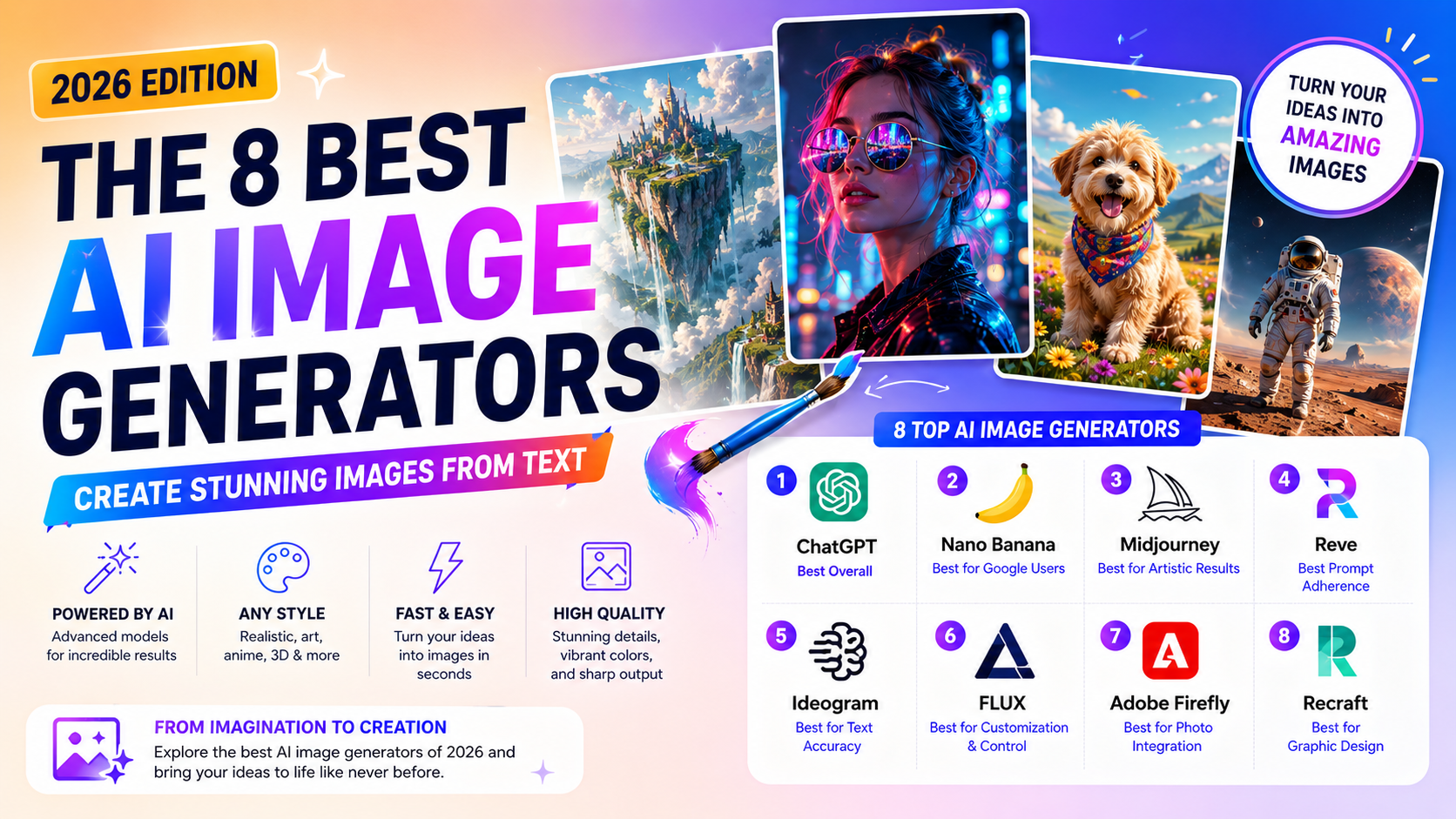
AI-generated images are everywhere now — in ads, on social media, in slide decks, sometimes without you even realizing it. The technology has come a long way from the early novelty days: the original DALL·E launched in 2021 and felt more like a fun toy than a serious creative tool. Today's leading models are a different story entirely, capable of accurate text rendering, precise prompt adherence, and photorealistic detail that would have seemed implausible just a few years ago.
We compared eight leading AI image generators — looking at output quality, prompt adherence, ease of use, customization, and pricing — to find the strongest option for different use cases in 2026.
How AI Image Generators Actually Work
Every tool on this list takes a text prompt and turns it into a matching image — anything from "an impressionist oil painting of a moose in a maple forest" to "a photorealistic donkey standing on the moon." The real limits are your imagination, the model's ability to interpret your prompt accurately, and whatever content filters are in place to prevent misuse.
Under the hood, most models are trained on billions of image-text pairs, teaching a neural network to associate words with visual concepts — what a dog looks like, what the color red is, what a Vermeer painting resembles. Once trained, the model can interpret almost any prompt, though getting precise results still takes some skill in how you phrase things.
Actually generating the image happens one of two ways:
- Diffusion models start with random noise and refine it step by step until it matches the prompt
- Autoregression models build the image piece by piece, predicting each new section based on what's already been generated
The Best AI Image Generators at a Glance
| Tool | Best For | Access | Starting Price |
|---|---|---|---|
| ChatGPT (GPT Image 2) | Ease of use and overall quality | ChatGPT, API | Free with ChatGPT; ChatGPT Go from $8/month |
| Nano Banana | Google users and image editing | Google Gemini, API | Included with Google AI Plus at $4.99/month |
| Midjourney | Artistic, visually striking results | Web app, Discord | From $10/month (~200 images, commercial rights) |
| Reve | Strict prompt adherence | Web app | Free tier; from $7.99/month |
| Ideogram | Accurate text rendering | Web app | Free tier; from $20/month (1,000 priority credits) |
| FLUX | Customization and open control | NightCafe, Tensor.Art, Civitai, API | Varies by platform |
| Adobe Firefly | Blending AI images into real photos | firefly.adobe.com, Photoshop, Express | Free credits; from $9.99/month (2,000 credits) |
| Recraft | Graphic design and scalable assets | Web app | Free (30 credits/day); from $12/month |
What Makes an AI Image Generator Genuinely Good in 2026?
A few years ago, distinguishing between AI image generators mostly came down to raw output quality — some were simply much better than others. That gap has narrowed considerably. The top 40-50 models available today are all capable of excellent results, which means the differences that actually matter now are usability, customization depth, pricing structure, and how reliably a tool sticks to exactly what you asked for.
For this comparison, the criteria were:
- True text-to-image generation — general-purpose tools that generate from a prompt, not apps that require uploading a batch of your own photos to produce AI portraits
- The underlying model itself, not just an interface built on top of someone else's model — plenty of good apps exist that just repackage FLUX or Stable Diffusion, but they aren't independent entries here
- Ease of use and available controls — how approachable the tool is, and what customization options (style, upscaling, editing) it offers
- Actual output quality — the top tier of models now rarely produces the obviously broken, anatomically impossible results that were common just a couple of years ago
1. ChatGPT (GPT Image 2) — Best Overall
After OpenAI's original DALL·E kicked off the text-to-image boom, the company's image models spent a stretch taking a backseat to its language models. That's changed — GPT Image 2 is now natively integrated into ChatGPT, and it's genuinely one of the best image generators available.
It's remarkably easy to use: describe what you want, and ChatGPT generates it directly in the conversation. Because it uses an autoregression approach rather than diffusion, it's a bit slower than most competitors and only produces one image per generation — a minor limitation unless you're generating in bulk.
Where it really shines is prompt adherence and editing. It handles accurate text rendering, understands numbers and spatial positioning well, and is particularly strong at style transfer — upload a photo and ask for it in the style of a specific artist, and it delivers convincingly. It's also genuinely good at incorporating small, targeted feedback without regenerating the whole image from scratch.
Pros: extremely easy to use; excellent overall quality; bundled into a ChatGPT subscription you may already have Cons: slower generation due to the autoregression approach; only one image at a time; pricier if you don't want the rest of ChatGPT alongside it
Pricing: Limited access on the free plan and ChatGPT Go ($8/month); ChatGPT Plus ($20/month) removes most practical limits.
2. Nano Banana — Best for Google Users
Nano Banana (built on Gemini 3.1 Flash Image) is Google's answer to ChatGPT's native image generation, and despite the playful name, it's a serious contender — especially for editing existing images rather than generating from scratch.
Prompt adherence and precise editing lag slightly behind the top of the field. Simple edits (turning one object into another) work well, but compound instructions — changing an object's direction of movement while also changing what it is — can produce odd results. It also adds a visible watermark to every image, which is worth knowing if you plan to use outputs commercially.
Still, it represents a real leap forward for Google's image models, which had historically trailed the rest of the field. If you're already living inside Gemini and Google Workspace, it's the natural default.
Pros: strong image editing capability; tightly integrated with Google's ecosystem Cons: prompt adherence inconsistent on complex, multi-part instructions; visible watermark on all outputs
Pricing: Limited on the free plan; included with Google AI Plus ($4.99/month) and Google AI Pro ($19.99/month).
3. Midjourney — Best for Artistic Results
For a long time, Midjourney produced the most visually striking results of any generator on this list, and while other tools have caught up on precise prompt adherence, it still holds its own on texture, color, and overall visual interest — helped by model fine-tuning that adapts to your personal aesthetic preferences over time.
The web app has matured significantly, no longer requiring the Discord-only workflow that once defined the platform. That said, Midjourney still has quirks: every image you generate is public by default, visible on the Explore page and your profile, which can be a real dealbreaker for business use cases where confidentiality matters. It's also currently involved in litigation with Disney and Universal over training data — worth being aware of, even if the practical impact on individual users remains unclear.
Pros: consistently excellent, visually distinctive output; strong community and documentation; commercial usage rights included on paid plans Cons: generated images are public by default; free trials are currently suspended
Pricing: From $10/month for the Basic Plan (~200 images/month, commercial rights included).
4. Reve — Best for Prompt Adherence
Reve arrived with little fanfare in early 2025 and immediately jumped to the top of independent image-model leaderboards — and it's held that position. Its defining strength is prompt adherence: give it a detailed, multi-element prompt (a warrior holding a sword, a wizard holding a staff), and it reliably keeps every element assigned correctly, rather than mixing attributes together the way many competing models still do with complex prompts.
Beyond adherence, it handles text rendering, varied artistic styles, and photorealism well, and its editing workflow is genuinely convenient — add a text note directly on a region of the image, and it regenerates just that area based on your instruction.
Pros: best-in-class prompt adherence, even on complex multi-part prompts; strong, intuitive region-based editing Cons: pricing tiers describe usage vaguely ("100x more") rather than in concrete credit terms
Pricing: Free tier available; Lite at $7.99/month (5x the free usage); Pro at $19.99/month (100x the free usage).
5. Ideogram — Best for Accurate Text
Rendering legible, correctly spelled text inside a generated image has historically been one of the hardest problems for diffusion-based models. Ideogram has effectively solved it — its latest model reliably places accurate text alongside generated imagery, a genuine differentiator most competitors still struggle with.
It's also a strong general-purpose generator beyond text handling, with a clean web app, an image editor, a Batch Generator that lets you upload a spreadsheet of prompts for bulk generation, a canvas tool for more complex compositions, and a Character feature that keeps a consistent character across different generated scenes.
Pros: class-leading text accuracy; strong feature set beyond core generation (batch tools, canvas, character consistency); genuine free tier Cons: generated images are public by default, similar to Midjourney
Pricing: Free tier (10 credits/week, slower generation); Plus plan from $20/month ($15/month billed annually) with 1,000 priority credits.
6. FLUX — Best for Customization and Control
When Stability AI (maker of Stable Diffusion) began unraveling in 2024, a significant portion of its team departed to found Black Forest Labs. FLUX is the result — now widely regarded as the leading open text-to-image model family, spanning several versions (FLUX.2 Max, Pro, Flex, Klein, and the older FLUX 1.1 line), each built for prompt-based editing and with different licensing terms worth checking before use.
FLUX isn't a single polished app — it's most commonly accessed through third-party platforms like NightCafe, Tensor.Art, and Civitai, or run locally by developers comfortable with self-hosting. If you want deep customization and open access rather than a single walled-garden app, it's the strongest starting point currently available.
Pros: genuinely open and highly capable; strong community adoption and tooling built around it; flexible licensing depending on version Cons: no single official first-party app; requires more setup than a typical text-to-image tool
Pricing: Varies by platform — many offer free credits to start.
7. Adobe Firefly — Best for Blending AI Images Into Real Photos
Adobe has been building AI into its apps for nearly two decades, and Firefly is the clearest expression of that investment — less impressive as a pure text-to-image generator on its own, and considerably more powerful once you're using it inside Photoshop.
As a standalone generator, results can be inconsistent — strong on some prompts, underwhelming on others. Where it genuinely stands apart is Generative Fill and Generative Expand inside Photoshop: select a region of an existing photo, type a prompt, and Firefly replaces or extends it while correctly matching lighting, depth of field, and perspective from the original image. That contextual awareness is what separates it from a standalone generator bolted onto an editor as an afterthought.
Pros: exceptional integration with Photoshop's editing tools; context-aware generation that matches existing image lighting and depth; trained on licensed and public-domain content only, reducing copyright risk Cons: inconsistent quality as a pure text-to-image tool on its own
Pricing: Limited free credits; Firefly Standard from $9.99/month (2,000 credits); Photoshop available from $19.99/month via the Creative Cloud Photography Plan (1,000 generative credits included).
8. Recraft — Best for Graphic Design
Recraft's underlying model is excellent across the board — photorealistic images, logo concepts, illustration styles — but what actually sets it apart is the tooling built around that model specifically for design work rather than one-off image generation.
You can generate entire image sets that share a consistent style and color palette from a single batch of prompts, then export as JPG, PNG, or — genuinely rare among AI image tools — scalable SVG. Beyond generation, Recraft handles product mockups combining multiple AI elements, in-painting and out-painting, background removal, and collaborative workspace features, with export paths into Photoshop and Illustrator for further editing.
Pros: exceptional design-specific tooling (style-consistent sets, SVG export); genuinely useful free tier; strong collaboration features Cons: steeper learning curve than a simple prompt-and-generate tool
Pricing: Free (30 credits/day, limited features); Basic from $12/month ($10/month billed annually) with 1,000 credits, commercial rights, and expanded controls.
Other Tools Worth a Look
The field has broadened enough that a handful of other generators deserve a mention, even though they didn't make the primary list:
- Leonardo.Ai (now owned by Canva) offers FLUX access alongside its own Lucid Origin and Phoenix models, aimed squarely at business and creative teams
- Luma Photon is a capable model, though its Dream Machine interface leans a bit unconventional
- Playground is strong for design work but built heavily around templates, putting it slightly outside pure text-to-image territory
- Several Chinese models — ByteDance SeedDream, Tencent's Hunyuan Image, KlingAI Image, and Qwen Image — are genuinely competitive but less accessible and feature-complete than the tools above
- Grok's image generator is capable but has drawn enough controversy around its use that it's worth approaching with caution
The Legal and Ethical Reality
There's no settled legal framework around AI-generated images yet, and that cuts both ways. The U.S. Copyright Office has taken the position that AI-generated content isn't copyright-protected without meaningful human creative input, and courts have largely sided with that interpretation. At the same time, there's currently no established legal protection for artists whose work was used in training data without consent — part of why Adobe specifically trained Firefly only on licensed and public-domain material.
For casual use — a few social posts, a blog hero image — the legal risk is minimal. Building an entire content strategy around AI-generated art carries more uncertainty, given how unsettled the legal landscape still is. It's also worth actively watching for bias in generated output — these models can reproduce the same stereotypes and skewed representations present in their training data, and reviewing outputs critically (and refining prompts accordingly) is a genuinely necessary step, not an optional one.
If you're building or comparing AI creative tools more broadly, browse Humbaa's AI tools directory for adjacent categories like video generation and design tools. If you've built an image generation tool yourself, you can submit it to Humbaa to reach people actively comparing options like the ones above.