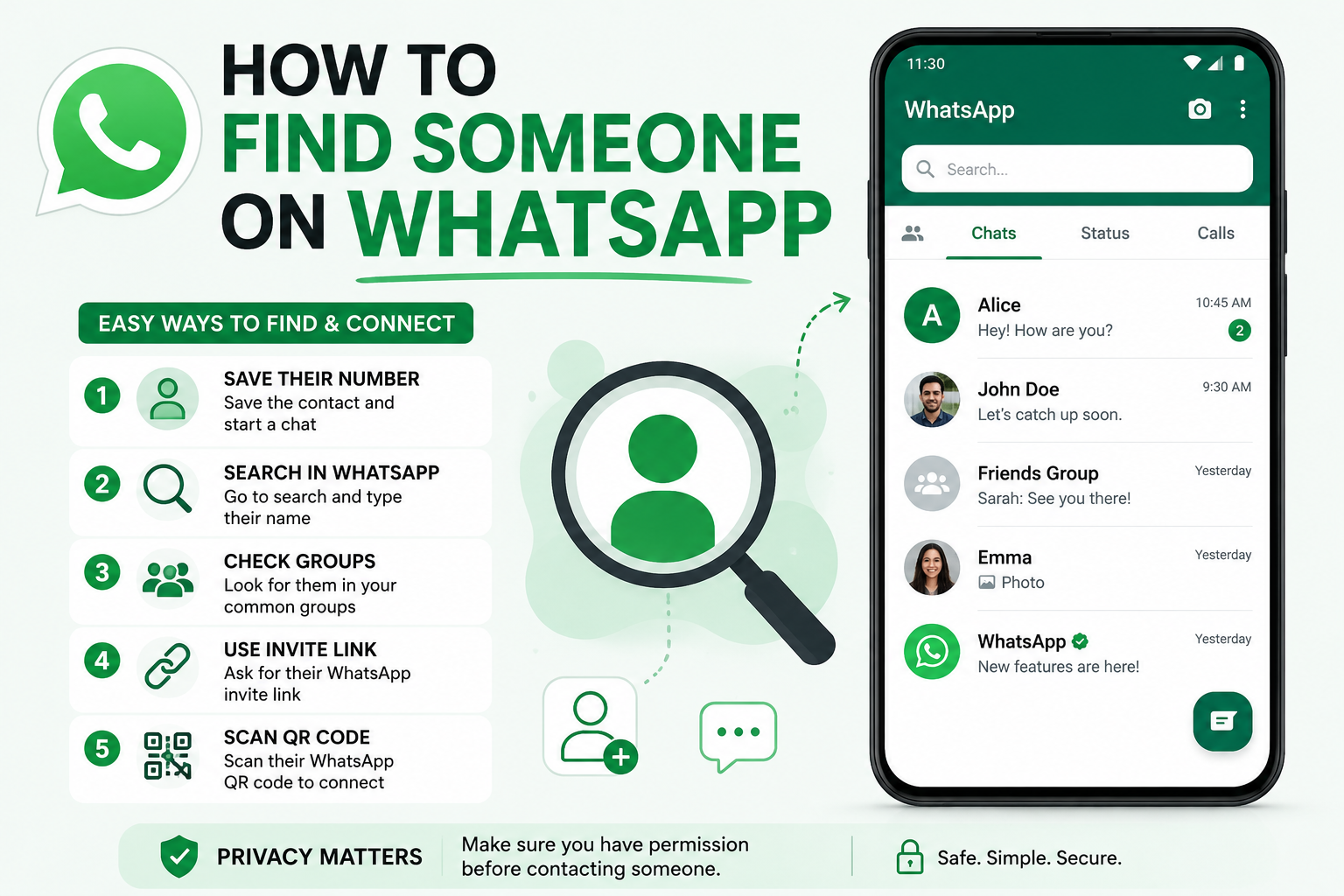
Quick answer: To find someone on WhatsApp, save their phone number to your contacts, open WhatsApp, and check if they show up in your contact list or search. You can also add them via their WhatsApp QR code, look for them in a group chat you both belong to, or check whether they've linked WhatsApp on a social media profile.
WhatsApp remains the most widely used messaging app in the world, connecting billions of people for free voice, video, and text conversations. But unlike Instagram, X, or most other social platforms, WhatsApp still has no username system — it identifies every account strictly by phone number. That single design choice is exactly why finding someone on WhatsApp can feel harder than it should be.
If you're trying to reconnect with an old friend, confirm whether a business is reachable on WhatsApp, or just check if someone you know uses the app, this guide walks through every method that actually works in 2026.
5 Ways to Find Someone on WhatsApp
| Method | Requirements | Best For | Limitation |
|---|---|---|---|
| Phone number | Their phone number | The most reliable option in almost every case | Doesn't work if they're not on WhatsApp at all |
| QR code | Access to their QR code | Adding someone in person without typing a number | You need their code, not just a wish |
| Group chats | A shared WhatsApp group | Situations with no direct contact info | Slow, unreliable, and often a dead end |
| Social media handles | Their public profile with a WhatsApp link | Businesses and public figures | Only works if they've chosen to link it |
| Usernames (rolling out) | A future @username, optional PIN | Privacy-conscious future searching | Still in staged rollout, not universal yet |
1. Using a Phone Number
Having the person's mobile number is the most dependable way to find them on WhatsApp — since WhatsApp doesn't use usernames, a number is still the only guaranteed identifier as of 2026. This method works identically on Android and iPhone.
Step 1: Save the number to your phone's contact list. On some Android devices, the contact card will immediately show a shortcut like "Text Message on WhatsApp" or "Call on WhatsApp" if the number is already linked to an account — tap it to jump straight into a chat.
Step 2: If that shortcut doesn't appear, open WhatsApp directly, tap the search icon, and type the contact's name. If they have an account, their name and profile photo will show up in the results — tap to start messaging.
Step 3: If they still don't appear, try refreshing your contact list. On Android, open the chat screen, tap the three-dot menu, and select Refresh. On iPhone, force-close WhatsApp and reopen it, since there's no manual refresh option. Search again afterward — if there's still no match, the number most likely isn't registered on WhatsApp.
2. Using a QR Code
Every WhatsApp account has its own shareable QR code, and scanning someone's code is one of the fastest ways to add them without typing a number manually — useful when you're standing next to them or they've shared their code online.
Step 1: Open WhatsApp on your phone.
Step 2: Tap the camera icon and scan the person's QR code.
Step 3: A prompt will appear asking to add the contact — tap it to save them, phone number included automatically.
Step 4: Search for them in WhatsApp afterward and start the conversation.
This method skips the number entirely, but only works if you can actually access their code — either in person or shared through another channel.
3. Finding Someone in Group Chats
If you don't have a phone number or a QR code, checking a shared WhatsApp group is worth trying — though it's the least reliable method on this list. Even if you locate the right group, identifying the specific person can be difficult, since some users hide their number and display name inside groups.
In smaller groups, you may spot their name and number directly. In larger ones, you may have to message multiple people to confirm you've found the right contact — a process that gets more tedious the bigger the group is, and doesn't always end in success.
4. Checking Social Media Handles
Many businesses and public figures link a WhatsApp contact directly on their social media profiles. Instagram, for example, lets business accounts add a "Message on WhatsApp" button straight to their profile — a deliberate choice to make themselves reachable.
If you're trying to contact a business or someone with a public presence, checking their Instagram, Facebook, or other social profiles for a linked WhatsApp button is worth doing before anything else. The catch: this only works if the person or business has chosen to make that connection public — there's no way to find it if they haven't.
5. WhatsApp Usernames (Rolling Out)
WhatsApp has been developing a username system to eventually let people connect without exchanging phone numbers at all — a meaningful privacy shift for a platform that's relied on numbers as its sole identifier since launch. The feature has been spotted in beta builds since mid-2023, though a full public rollout timeline still hasn't been confirmed.
Once available, here's roughly how it's expected to work:
- WhatsApp will prompt you to set a username, or you'll find the option under account settings
- Like most platforms, your username must be unique and will start with @ — for example, @your-name
- To limit spam and unsolicited contact requests, you may also be asked to set an optional PIN alongside your username
Until this rolls out broadly, a phone number remains the only fully reliable way to find someone on WhatsApp.
Frequently Asked Questions
Can I find someone on WhatsApp without their phone number? Only through their QR code, a shared group, or a linked social media profile. Without a number, QR code, or one of those indirect paths, there's currently no reliable way to locate someone on WhatsApp.
How do I add an international contact on WhatsApp? The exact same way as a local contact — save the number (with the correct country code) to your phone, then check WhatsApp. There's no separate process for international numbers.
What if I add someone's number but still can't find them on WhatsApp? If the contact doesn't appear after saving their number and refreshing WhatsApp, they most likely don't have a WhatsApp account tied to that number. The contact will typically show up under an "Invite" section instead.
Can I still find someone on WhatsApp if they've blocked me? Yes — you can still save their number and send messages. They simply won't be delivered to the blocked contact, and you'll only ever see a single gray checkmark rather than the delivered or read indicators.
Can I stop other people from finding me on WhatsApp? Yes. Since WhatsApp identifies accounts strictly by phone number, not sharing your number is the most effective way to stay unreachable. Beyond that, WhatsApp's privacy settings let you restrict who can see your profile photo, status, and last-seen timestamp — even for people who do have your number saved.
If you're managing customer conversations across WhatsApp, Instagram, and other messaging channels, Humbaa's AI tools directory is worth browsing for AI-powered chat and customer communication tools that plug into platforms like WhatsApp. If you've built a tool in this space, you can submit it to Humbaa to reach people actively looking for messaging and automation tools like it.