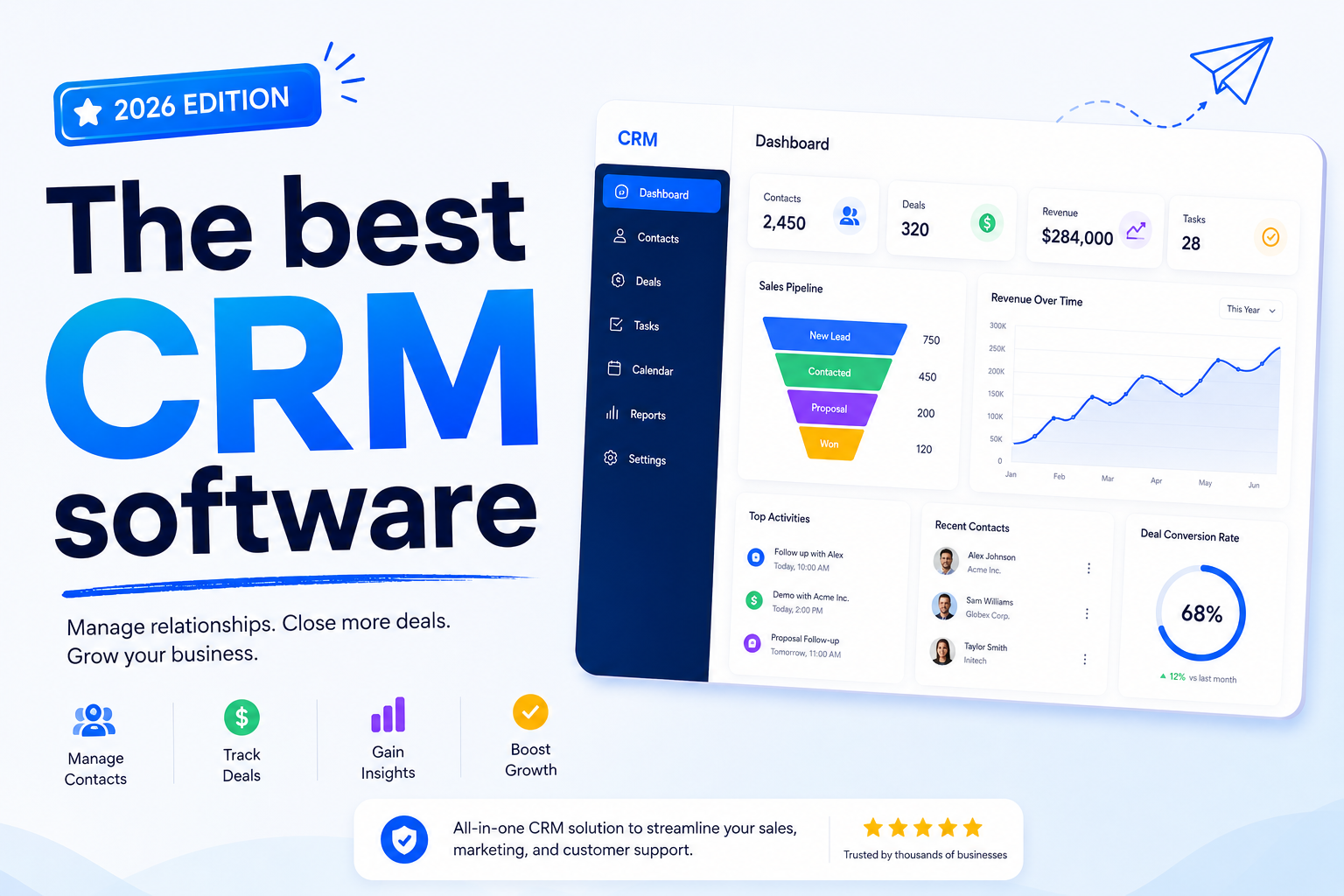
- Pipeline clarity — contacts, deals, and stages should be visible at a glance, not buried in menus
- Automation that actually saves time — email sequences, task creation, and deal stage updates that run without manual intervention
- AI-assisted insights — lead scoring, deal health indicators, and next-step recommendations
- Integration depth — your CRM shouldn't live in isolation; it needs to connect to email, calendar, marketing tools, and your existing stack
- Scalability — the platform that works at 5 users should still work (differently but cleanly) at 500
1. Salesforce
Rating: ⭐⭐⭐⭐⭐
Best for: Large enterprise teams with complex sales processes
Salesforce remains the most powerful and widely deployed CRM in the world — and with that power comes complexity. The platform can be configured to handle virtually any sales motion, from simple deal tracking to multi-stage enterprise procurement with custom approval workflows, territory management, and revenue forecasting built on real-time data.
The Einstein AI layer now permeates much of the platform: lead scoring surfaces the accounts most likely to convert, opportunity health indicators flag at-risk deals before they fall off, and Einstein Conversation Insights analyzes sales calls to extract coaching opportunities. If your team runs on calls and demos, these features deliver genuine pipeline intelligence — not just dashboards.
The trade-off is onboarding time and cost. Salesforce is rarely plug-and-play — most implementations involve configuration work, and the licensing model becomes expensive as you add features across Sales Cloud, Service Cloud, and Marketing Cloud.
Pros: Deepest customization of any CRM on the market; Einstein AI for pipeline intelligence; enterprise-grade security and compliance; massive integration ecosystem
Cons: Steep learning curve; implementation often requires a consultant; cost rises sharply with advanced features
Salesforce pricing: Starter Suite from $25/user/month; Enterprise from $165/user/month
2. HubSpot CRM
Rating: ⭐⭐⭐⭐⭐
Best for: Small to mid-size businesses that want sales and marketing under one roof
HubSpot's free CRM tier is one of the most generous in the industry — unlimited contacts, deal tracking, email integration, and a live chat tool, all at no cost. For teams that are just getting started with pipeline management, the free plan alone can run a sales operation for months before you hit any meaningful limit.
The real value emerges when you combine the CRM with HubSpot's Marketing Hub and Service Hub. Email sequences can be triggered by contact behavior, leads captured from landing pages flow directly into pipelines, and customer conversations from multiple channels land in a shared inbox. The CRM doesn't just track deals — it connects every touchpoint from first visit to closed won.
HubSpot's AI features are maturing quickly: the AI email assistant writes outreach drafts in seconds, deal forecasting highlights pipeline gaps, and the new Breeze AI copilot surfaces action items from CRM data across the entire platform.
Pros: Generous free plan; seamless marketing and sales integration; intuitive interface; strong automation on paid plans; AI-assisted email and forecasting
Cons: Costs climb fast on Marketing Hub; some automation features require higher tiers; reporting can feel limited compared to Salesforce
HubSpot pricing: Free plan available; Starter from $20/month; Professional from $1,600/month
3. Zoho CRM
Rating: ⭐⭐⭐⭐⭐
Best for: Growing teams that need a full-featured CRM without enterprise-tier pricing
Zoho CRM packs a remarkable feature set into an affordable package. The platform covers lead management, pipeline visualization, email automation, telephony, social media monitoring, and AI-driven analytics — features that would cost significantly more on Salesforce or HubSpot at comparable scale.
Zia, Zoho's built-in AI assistant, goes further than a simple chatbot. It predicts lead conversion probability, recommends optimal contact times based on past engagement patterns, and flags anomalies in sales data that might indicate a pipeline problem. For a platform at this price point, that's a serious capability.
The ecosystem advantage is real too: Zoho's suite includes over 50 business applications — from accounting to HR to project management — and they're all natively integrated. If you're building a tech stack from scratch and want minimal integration overhead, a Zoho-first approach makes sense.
Pros: Highly competitive pricing; Zia AI for lead scoring and recommendations; deep integration with Zoho's 50+ app suite; strong automation builder
Cons: Interface is less polished than HubSpot or Attio; can feel overwhelming to new users; some features require paid add-ons
Zoho CRM pricing: Free plan for up to 3 users; Standard from $14/user/month; Ultimate from $52/user/month
4. Pipedrive
Rating: ⭐⭐⭐⭐
Best for: Sales teams that want a pipeline-first, visual CRM experience
Pipedrive was built by salespeople who wanted a CRM that looked like an actual sales pipeline — and that focus shows. The default view is a Kanban board where deals move across stages, contacts and activities are attached inline, and the entire status of your month is visible without running a report. It's one of the cleanest pipeline UIs available.
Activity-based selling is the underlying philosophy: Pipedrive continuously prompts reps to log the next action on every open deal, which keeps things moving without requiring management pressure. The AI Sales Assistant surfaces which deals need attention and suggests when to follow up based on past patterns.
The platform has expanded in recent years to include email campaigns, meeting scheduling, e-signatures, and a documents tool — but it remains pipeline-first at heart. For field sales teams or B2B reps managing a high volume of concurrent deals, that focus is a feature, not a limitation.
Pros: Best-in-class visual pipeline; activity-based selling approach keeps deals moving; clean interface; good AI assistant; competitive per-user pricing
Cons: Less marketing integration than HubSpot; reporting isn't as deep as Salesforce; some features are add-ons
Pipedrive pricing: Essential from $14/user/month; Advanced from $39/user/month; Professional from $49/user/month
5. Ontraport
Rating: ⭐⭐⭐⭐
Best for: Small businesses combining CRM with marketing automation
Ontraport occupies a specific niche: it's a CRM designed explicitly for small businesses that run heavily on email marketing and automated customer journeys. Where most CRMs treat marketing automation as an add-on, Ontraport builds the CRM around it. Contact records capture the full marketing history alongside sales activity, and automation campaigns can trigger based on either.
The visual campaign builder is one of the most intuitive in its category — drag-and-drop sequences handle email delivery, SMS, task assignment, tagging, and deal stage updates from a single canvas. For businesses running product launches, membership sites, or digital products with complex follow-up sequences, Ontraport handles the whole flow without stitching together multiple tools.
It's not the right tool for a pure B2B sales team managing complex deals. But for coaches, course creators, service businesses, and small retailers, the marketing-CRM hybrid approach is exactly what's needed.
Pros: Powerful visual automation builder; unified CRM and email marketing; built-in membership and payment processing; strong for small business workflows
Cons: Not ideal for complex B2B sales; reporting is less sophisticated than dedicated sales CRMs; interface has a learning curve
Ontraport pricing: Basic from $24/month (1 user); Pro from $83/month (2 users); Enterprise from $249/month
6. Nimble
Rating: ⭐⭐⭐⭐
Best for: Teams that sell through relationships and social channels
Nimble does something most CRMs don't: it automatically enriches contact records with social data. Connect a contact's email address and Nimble pulls in their LinkedIn profile, recent posts, shared connections, and company information — building context that makes outreach more personalized and less cold.
The Nimble browser extension takes this further. Hover over any name on LinkedIn, Twitter, or a company website and a sidebar appears with the full contact record: past conversations, open deals, notes, and social activity. For sales reps who spend time prospecting on social platforms, this workflow is genuinely faster than switching between tabs and manually copying information.
Pipeline management is solid, group email with tracking covers outreach at scale, and the Today Page gives a daily digest of birthdays, reminders, and suggested next actions. It's a relationship CRM built for how modern selling actually works.
Pros: Automatic social data enrichment; powerful browser extension; built-in prospecting and group email; strong relationship context across social channels
Cons: Pipeline management is less sophisticated than Pipedrive; limited advanced automation; better for networking-driven sales than high-volume deal flow
Nimble pricing: $24.90/user/month (annual billing); $29.90/user/month (monthly billing)
7. Nutshell
Rating: ⭐⭐⭐⭐
Best for: B2B sales teams that want simplicity without sacrificing depth
Nutshell earns high marks for combining a clean, approachable interface with features that hold up under the demands of a real B2B sales operation. Contact and company records are deeply linked — activity on a contact automatically surfaces in the parent company record, giving sales managers a complete view of account health without extra configuration.
The pipeline options are flexible: choose between list view, Kanban board, chart view, or map view depending on how your team prefers to work. Email sequences can be automated at the deal level, and Nutshell's built-in reporting covers quota attainment, activity metrics, and forecast accuracy without requiring custom report builds.
The AI writing assistant helps reps draft outreach emails and follow-ups faster, and Nutshell's sales automation handles stage changes, task assignments, and notifications based on deal events. For a B2B team that wants to get up and running quickly without an IT project, Nutshell is one of the better-balanced options on this list.
Pros: Multiple pipeline view options; strong contact-company linking; solid built-in reporting; good automation at a reasonable price; easy onboarding
Cons: Limited integrations compared to Salesforce or HubSpot; some features require higher plan; design feels utilitarian
Nutshell pricing: Foundation from $13/user/month; Pro from $25/user/month; Power AI from $52/user/month
8. Attio
Rating: ⭐⭐⭐⭐
Best for: Modern teams that want a flexible, data-forward CRM
Attio represents a newer generation of CRM design — one built for teams that want a tool that behaves more like a smart database than a rigid pipeline tracker. Records can be structured however your team actually works: custom attributes, relationship links between any object types, and views that can filter and group data across contacts, companies, deals, and custom objects.
The collaborative layer is strong. Multiple team members can see who's active on a record, leave threaded notes, and get notified when relevant changes happen — without the clutter of activity feeds that bury important updates. AI-powered enrichment keeps company and contact data current, pulling in firmographic information automatically.
Attio's automation engine handles triggers, conditions, and actions across objects, letting teams build workflows that would require third-party tools in older CRMs. The trade-off is that the flexibility requires some setup time — Attio rewards teams willing to configure it to match their process rather than teams looking for a standard sales CRM out of the box.
Pros: Highly flexible data model; clean collaborative interface; strong AI enrichment; modern design; powerful custom objects
Cons: Setup requires more configuration than plug-and-play CRMs; smaller integration library; newer platform with less third-party support
Attio pricing: Free plan (up to 3 seats); Plus from $34/user/month; Pro from $69/user/month
9. Salesmate
Rating: ⭐⭐⭐⭐
Best for: Teams running multi-channel outreach from one platform
Salesmate brings together CRM, email outreach, calling, SMS, and live chat into a single platform — making it a strong choice for sales teams that want to manage all customer touchpoints without maintaining separate tools. The built-in phone system includes call recording, voicemail drop, and call analytics, while SMS sequences can run alongside email cadences from the same automation builder.
The AI features are becoming a genuine differentiator: Sandy AI — Salesmate's AI assistant — can create contacts, update deals, schedule follow-ups, and pull reports directly from a conversational interface. Instead of navigating menus, reps can simply ask Sandy to handle CRM tasks and keep their attention on the conversation in front of them.
The sequence builder is flexible, supporting multi-step campaigns that mix email, calls, texts, and task reminders in one view. For inside sales teams that live in multi-channel outreach, having all of that in one place — and having AI handle the CRM admin — is a meaningful time saver.
Pros: Built-in calling, SMS, and email in one platform; Sandy AI for conversational CRM management; strong sequence builder; competitive pricing
Cons: Interface can feel busy with all channels visible; reporting is solid but not enterprise-grade; fewer native integrations than older CRMs
Salesmate pricing: Basic from $23/user/month; Pro from $39/user/month; Business from $63/user/month
10. Close
Rating: ⭐⭐⭐⭐
Best for: Inside sales teams focused on high-velocity phone and email outreach
Close was built for inside sales — specifically for teams doing high-volume outreach by phone and email, where speed and contact rate are the primary KPIs. The interface is designed around the calling workflow: reach out, log the call, move to the next lead, all from a single screen without tab switching. The built-in Power Dialer can work through a lead list automatically, and the Predictive Dialer connects reps only when a human picks up, eliminating wait time.
Email sequences handle follow-up automatically between calls, and every interaction is logged to the contact record without manual entry. Close's reporting is strong for inside sales metrics: answer rates, call duration, emails sent, reply rates, and pipeline velocity are all tracked and visible at the team level.
The platform is also transparent about what it is and isn't. Close doesn't try to be a marketing automation tool or an enterprise CRM — it's built for a specific type of selling, and teams that match that profile will find it significantly better than generic alternatives.
Pros: Best-in-class calling features including Power Dialer and Predictive Dialer; clean interface designed for speed; automatic activity logging; strong inside sales reporting
Cons: Less suited to complex B2B deals or long sales cycles; limited marketing integration; pricing is per-account rather than per-user, which can affect cost modeling
Close pricing: Startup from $49/month; Professional from $299/month; Enterprise from $699/month
11. Copper
Rating: ⭐⭐⭐⭐
Best for: Teams that live in Google Workspace
Copper was built from the ground up as a Google-native CRM, and it shows. The integration with Gmail and Google Calendar isn't an add-on — it's the core of how Copper works. Contacts from emails are automatically added to the CRM, meeting details sync to deal records, and the Copper sidebar in Gmail shows you the full contact history alongside any email thread. If your team's workflow centers on Gmail, you work in Copper without realizing you've left your inbox.
Beyond Google Workspace, Copper handles pipeline management, automated follow-up reminders, email templates, and basic reporting. The AI features extract action items from emails and suggest follow-ups — keeping deals progressing without requiring reps to manually log every touchpoint.
It's not the deepest CRM for complex enterprise deals, but for professional services firms, agencies, and small businesses already on Google Workspace, Copper removes most of the friction that makes CRM adoption slow.
Pros: Native Gmail sidebar and Google Calendar sync; automatic contact creation from emails; AI-extracted action items; minimal learning curve for Google Workspace users
Cons: Limited value outside the Google ecosystem; less customizable than Salesforce or Zoho; reporting is basic at lower tiers
Copper pricing: Starter from $9/user/month; Basic from $23/user/month; Professional from $59/user/month
How to Choose the Right CRM
If you're an enterprise team: Salesforce is the standard for a reason. The depth of customization and integration support is unmatched — just budget for implementation time.
If you're a small or mid-size business: HubSpot's free plan is the best starting point in the industry. Move to paid when you need sequences and advanced automation.
If budget is the priority: Zoho CRM gives you Salesforce-class features at a fraction of the price. The interface takes some getting used to, but the capability is there.
If your team is pipeline-focused: Pipedrive's visual Kanban approach is the cleanest way to manage deals. Activity-based prompts keep reps on track without management oversight.
If you live in Gmail: Copper. No other CRM integrates this deeply with Google Workspace, and the time saved on data entry alone justifies the switch.
If you run inside sales with high call volume: Close's Power Dialer and inside sales reporting are in a category of their own.
If you want flexibility and modern design: Attio is worth the setup investment for teams that want a CRM that works the way they actually think.
The right CRM is the one your team will actually use. A platform with 500 features that sits empty is less valuable than a simple tool that every rep checks every morning. Start with what fits your current workflow, and upgrade as the complexity demands it.