Recording voiceovers sounds deceptively simple until you're on your twentieth take, still not happy with how a single sentence landed. Then comes the post-production: noise removal, EQ, compression, trying to get that home-office recording to sound anywhere near professional. And if you don't have a decent microphone and a quiet room, you're starting at a disadvantage before you've said a word.
AI voice generators have changed that equation. The best tools today produce speech that's genuinely difficult to distinguish from a real recording — natural pacing, appropriate intonation, emotional variation where it counts. You write the script, pick a voice, and walk away with audio ready to drop into a video, podcast, presentation, or product.
After three weeks of testing every AI voice tool I could find — using the same test scripts across all of them to make direct comparisons — here are the nine that actually deliver.
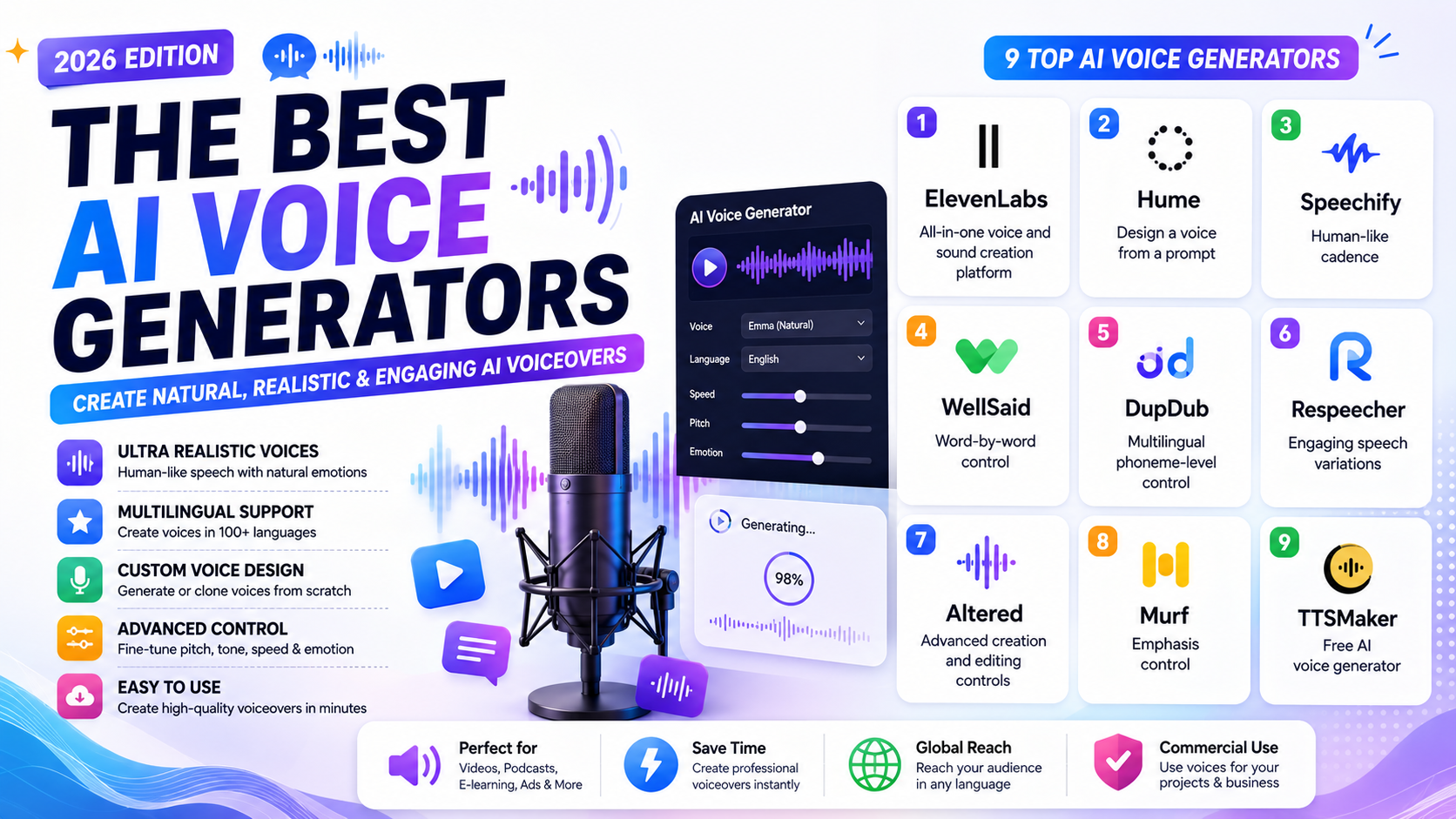
The 9 Best AI Voice Generators at a Glance
| Tool | Best For | Pricing |
|---|---|---|
| ElevenLabs | All-in-one voice and audio platform | Free; from $5/month |
| Hume | Designing a custom voice from a prompt | Free; from $3/month |
| Speechify | Natural, human-like reading cadence | Free; from $29/month |
| WellSaid | Precise word-by-word timing control | From $10/month (billed annually) |
| DupDub | Multilingual phoneme-level accuracy | From $11/month |
| Respeecher | Expressive, variation-rich speech | From $1.60/month |
| Altered | Advanced voice editing and morphing | Free; from $30/month |
| Murf | Emphasis and stress control per word | Free; from $19/month |
| TTSMaker | Free voice generation with no credit card | Free; from $9.99/month |
What Separates Good AI Voice from Great AI Voice
The basic test is simple: does it sound like a person said it? But there's more to evaluate than that surface check. Great AI voice generation gets the following right:
- Intonation — pitch rises and falls through sentences in ways that feel natural, not mechanical
- Pacing variation — slight speed changes for emphasis, not a metronomic flat read
- Pause placement — pauses after commas and periods that feel considered rather than timed by a rule
- Emotional color — even neutral narration has a quality of engagement rather than flat delivery
- Export quality — high-bitrate audio that won't introduce artifacts into a final production
The tools below excel across these dimensions in different ways — some at the broad level, others through precise fine-grained controls.
1. ElevenLabs — Best All-in-One Audio Platform
Pros:
- Exceptionally lifelike voice output from a large multilingual library
- Covers text-to-speech, audiobooks, sound effects, dubbing, and conversational agents in one platform
- Action and emotion direction via inline script brackets with the v3 model
Cons:
- Sound effects generation can be inconsistent
- Breadth of features means some are tucked away and take time to discover
ElevenLabs has grown well beyond being a voice generator. A single platform now handles text-to-speech, audiobook production, podcast-style multi-voice generation, video dubbing, background music, sound effects, and conversational AI agents — all built around the same high-quality voice engine.
The standout addition in 2026 is the v3 model's director controls. Insert performance instructions directly into your script using square brackets — [whispered], [laughing], [sarcastic] — and the model interprets them as acting direction rather than text to read. Results vary and reward experimentation, but when it lands, the output feels genuinely performed rather than synthesized.
For teams building customer-facing voice products, the conversational agent builder adds another layer: train it on your company data, set up multi-agent routing for different question types, and connect it to internal systems so agents can look up orders, check status, or escalate to a human without a handoff gap.
The voice library spans dozens of languages, the clone tool requires only a short sample, and the Studio interface adapts its layout based on what you're producing — deeper chapter controls for audiobooks, frame preview for video dubbing. If you want one tool for the entire audio workflow, ElevenLabs is the clearest choice.
Pricing: Free for 10 minutes of text-to-speech monthly; Starter at $5/month adds commercial license and 30 minutes of TTS.
2. Hume — Best for Building a Voice from Scratch
Pros:
- Design any voice from a text description — no preset browsing required
- Emotional intelligence layer reads user sentiment and adjusts tone in real time
- Zero-data retention option available for privacy-sensitive deployments
Cons:
- Language support limited to English and Spanish currently
Every other tool on this list hands you a library and asks you to find the voice you need. Hume inverts that. Describe what you want in plain language — accent, pitch, pacing, energy — and it builds a voice that matches.
The accent parameter does the heaviest lifting. Shifting from "received British" to "Nashville twang" doesn't just change vowel sounds — it transforms the entire rhythm and feel of the delivery. Layer descriptors on top — "warm and measured," "crisp and direct" — and you're shaping something genuinely yours rather than choosing from a dropdown.
Where Hume goes further than any competitor is its emotional intelligence system. The conversational agent mode tracks sentiment in the user's voice, assigns numerical emotion scores across dimensions like excitement, confusion, and determination, and uses those signals to modulate the AI's response tone in real time. There's even experimental facial expression analysis via camera. Most of this requires API access to build into a product, but it signals where the category is heading — voices that actually listen back.
Pricing: Free for ~10 minutes/month; Starter at $3/month for ~30 minutes of TTS.
3. Speechify — Best for Natural Reading Cadence
Pros:
- Industry-leading natural pacing straight out of the box
- Multi-voice projects and celebrity voice options for personal use
- Built-in video and presentation output tools
Cons:
- Voice quality varies significantly — some voices are excellent, others noticeably weaker
The defining quality of Speechify's output is rhythm. Where most AI voices read text at a mechanically consistent speed, Speechify introduces the kind of natural micro-variation that makes a recording sound like a person who actually thought about what they were reading. Sentences accelerate slightly mid-clause and breathe at the end. It's a small thing until you compare it directly with flat alternatives — then it becomes obvious.
Speechify Studio is where the production tools live. Beyond pitch, speed, volume, and pronunciation controls, there's a presentation builder that combines generated voice with background music and visual slides, and a voice cloning option to add your own voice to the platform. The famous licensed voices — Snoop Dogg, Gwyneth Paltrow — are limited to personal listening mode and can't be used in exported projects, but the studio voices are strong enough that it doesn't matter.
Pricing: Free for 10 voices; Premium at $29/month adds 1,000+ voices and 60+ languages.
4. WellSaid — Best for Precision Timing Control
Pros:
- Word-level loudness and pace adjustments with visual color-coded tracking
- SOC 2 and GDPR compliant — suitable for enterprise use
- Native integration with Adobe Premiere Pro and Express
Cons:
- Emotional range is limited compared to more expressive tools
WellSaid is for producers who need to engineer the exact feel of every line. Rather than hoping the AI interprets your text with the right emphasis, you place that emphasis yourself — word by word, pause by pause.
The Cues system is the mechanism. Select any word and nudge its loudness or pace up or down. Select a punctuation mark and set the exact pause length in milliseconds. The changes are color-coded on the page — green for pace, blue for loudness, purple for pauses — so you always know what you've touched and can return to fine-tune later. The general advice: keep adjustments subtle. Drastic changes break the realism quickly.
Pronunciation sits in a separate Replacements panel rather than inline, which takes some getting used to. The respelling guide is worth reading — the phonetic approach means you're writing how something sounds rather than how it's spelled, which produces more consistent results than hoping the model will guess correctly.
For teams producing instructional content, compliance training, or narrated eLearning where the exact weight of specific words matters, WellSaid's level of control is hard to match.
Pricing: Free 7-day trial; Starter at $10/month billed annually for 240 minutes/year of downloadable audio.
5. DupDub — Best for Multilingual Technical Content
Pros:
- Phoneme-level keyboard for precise pronunciation of any term in any language
- 750+ voices across 90 languages in 1,000+ styles
- Integrated script-to-video pipeline in a single tool
Cons:
- Mobile app is limited compared to the web platform
Technical scripts are an AI voice generator's least favorite kind of content. Brand names from other languages, software acronyms, chemical compounds, medical terminology — most tools mangle them in ways that make the audio unusable without heavy re-recording. DupDub addresses this with a phoneme keyboard that lets you spell out exactly how any term should sound, symbol by symbol.
Highlight a problematic word, open the phoneme editor, and type the pronunciation using an on-screen phonetic character set. No creative respelling required, no hoping the model figures it out — you define the output directly. The same level of control applies whether you're producing English content with Mandarin brand names or Spanish technical documentation with English acronyms.
Beyond pronunciation, DupDub gives granular control over comma pause timing (knock the default 200ms down to 50-80ms for more natural flow), section-level speed variation, and whether acronyms are spoken as words or spelled out letter by letter. The built-in video editor and AI script generator mean you can go from topic idea to finished narrated video without leaving the platform.
Pricing: Free 3-day trial; Personal at $11/month for 150 credits; pay-as-you-go available.
6. Respeecher — Best for Expressive, Character-Rich Voice
Pros:
- Generates engaging speech with natural variation rather than flat delivery
- Live microphone input lets you voice-direct the AI performance
- Beloved by professionals — used in the Star Wars franchise
Cons:
- UI is unintuitive; controls are hidden in a separate Settings tab
- US-English baseline bleeds into other accent work
Respeecher approaches voice generation differently from most tools. Rather than generating a single clean rendition of your text, it produces variations — multiple takes grouped by script section, each with natural differences in timing and delivery. For anyone who has directed voice actors, the workflow feels familiar: you're picking between takes rather than hoping one auto-generated result is good enough.
The live microphone input is genuinely useful for people with performance backgrounds. Record the text yourself — using your own pacing, pauses, and emphasis — and Respeecher transforms your voice into the AI avatar's. Your performance data drives the output. The results have a lively, character-forward quality that works well for animation, games, and any project where personality matters more than neutrality.
Model training is available for cloning your own voice or others' (with documented consent — the platform takes identity verification seriously for this feature). The subscription cost jumps at that tier, but the capability is there.
Pricing: Free 3-day trial; TTS Only at $1.60/month for 30k characters/month; pay-as-you-go available.
7. Altered — Best for Advanced Editing and Voice Morphing
Pros:
- Real-time voice morphing via Virtual Microphone for live recording into other apps
- Audio-to-audio generation — convert any existing recording to a new voice
- Full voice editor with transcription, noise removal, and speech regeneration
Cons:
- Outputs often need editing before they're broadcast-ready
- Steep learning curve on the Voice Editor screen
Altered is the power user's tool. The feature set goes well beyond generating speech from text — it's a full audio production environment built around AI voice technology.
Real-time morphing turns your microphone into a live AI voice. Speak, and the Virtual Microphone outputs a transformed version of your voice in the chosen avatar — useful for recording directly into a DAW or video editor without a render-and-import cycle. Audio-to-audio generation does the same thing post-hoc: upload a recording, choose a target voice, and download the morphed result. Both workflows suit producers who want to direct a performance rather than describe it.
The rapid voice cloning tool accepts 4-8 second audio clips, making model creation fast if you have clean samples. The Voice Editor — the most advanced part of the platform — combines transcription, noise reduction, speech regeneration, and general audio manipulation in an interface that looks and behaves like a lightweight DAW. The docs are essential company for that screen.
Narration style selection is broad, ranging from "Just Below Neutral" through to "Positive Shout," though at the extremes the results get unpredictable. Keep the style settings moderate unless you're after something deliberately exaggerated.
Pricing: Free for 3 minutes/month of morphing; Creator at $30/month for 60 minutes and 325k AI tokens.
8. Murf — Best for Word-Level Emphasis
Pros:
- Visual emphasis tool lets you boost or reduce the weight of individual words
- Nine narrative styles on select voices including Storytelling, Conversational, and Sad
- Timeline editor with video and music layering for direct export
Cons:
- Quality across the voice library is uneven — the best voices are excellent, many others are not
Murf's most distinctive feature is also its most underrated. The emphasis control — accessed via an icon next to the play button that looks like a comment bubble — opens a visual tool where you plot stress points across individual words on a two-axis grid. High on the vertical axis for more emphasis, right on the horizontal for later in the word. Move a point and the model regenerates that word with the adjusted stress applied.
For narration work where the meaning of a sentence genuinely shifts depending on which word you emphasize, this level of control is the difference between audio that communicates your intent and audio that merely reads your words.
The Ken voice deserves a specific mention — it unlocks all nine narrative styles, and the Sobbing setting in particular delivers a restrained, believable performance rather than the overwrought result you'd expect. The timeline editor at the bottom of the screen lets you layer video and music directly into the project, producing export-ready content without a separate editing step.
Pricing: Free for 10 projects and 10 minutes; Creator at $19/month for 100 projects and 2 hours of voice generation.
9. TTSMaker — Best Free AI Voice Generator
Pros:
- Truly unlimited generation on 20 voices with no credit card required
- Commercial use permitted on all free voices
- Exports SRT subtitle files alongside audio — saves manual captioning time
Cons:
- Overall voice quality doesn't match the paid platforms
- Files are deleted after 30 minutes — download immediately
TTSMaker exists for one purpose: giving you usable AI voice output without spending anything. It delivers on that promise more reliably than most free tiers from premium platforms, where the best voices are gated behind subscriptions.
Twenty voices are marked unlimited — generate as much audio as you want with those, no weekly cap. The other 600+ voices come with a 20,000-character weekly limit. The Settings panel offers the controls you'd expect: speed, pitch, paragraph pause timing, and background music mixing. The audio quality won't challenge ElevenLabs, but it's clean and intelligible — appropriate for explainer content, internal training videos, or social media where the voice supports the message rather than starring in it.
The SRT subtitle export is a genuinely useful addition. Every generation produces a synchronized caption file alongside the audio, ready to upload to a video editor or YouTube. For solo creators producing content at volume, cutting the transcription step alone justifies using TTSMaker even when other options are available.
Critical note: the 30-minute file deletion window is real and unforgiving. Generate, download, then move on.
Pricing: Free for 20 unlimited voices and 20,000 characters/week on premium voices; Lite at $9.99/month for 300,000 characters/month.
A Note on AI Voice Cloning and Legal Considerations
Every platform on this list uses voices built with the consent of the people whose voices were used in training. Using those preset voices within the platform's licensing terms is legal and straightforward.
Voice cloning — creating a model based on a real person's voice — sits in more complex territory. Most platforms require documented consent before you can clone a voice, and with good reason: an AI-cloned voice can produce audio that sounds indistinguishable from the source person saying things they never said. Laws around synthetic voice vary by jurisdiction and are evolving, but the practical rule is simple: never clone a voice without explicit written consent from the owner, and never use a cloned voice in a way the owner hasn't approved.
Choosing the Right AI Voice Generator
The right tool depends on what you're optimizing for:
- Best overall quality and breadth: ElevenLabs
- Custom voice design: Hume
- Natural pacing out of the box: Speechify
- Precise word-level control: WellSaid or Murf
- Technical or multilingual scripts: DupDub
- Character-forward, expressive output: Respeecher
- Full audio production environment: Altered
- Free with no strings: TTSMaker
Most of these offer free plans or trials — the most useful test is running the same 100-word script through three or four of them and listening back to back. The differences in naturalness, pacing, and intonation become obvious within seconds.